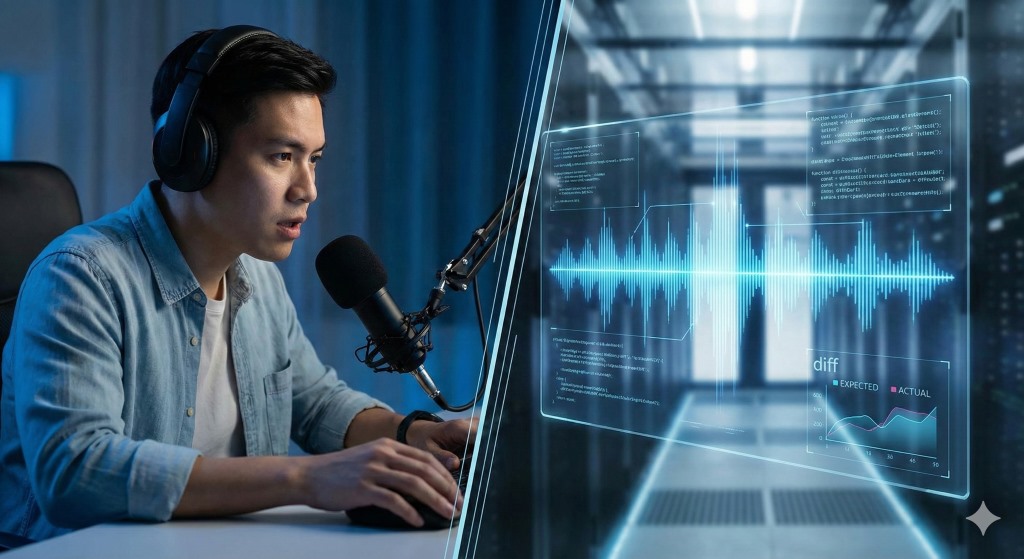
The Shadowing Technique is a high-intensity pronunciation exercise where you listen to native speech and repeat it aloud with a 0.5-second delay—effectively "shadowing" the speaker. Unlike standard repetition (listen, pause, repeat), shadowing forces your brain to process intonation, speed, and rhythm in real-time. However, for this technique to actually improve your accent, you must include a "Diff Check"—a recording feedback loop to identify where your output deviates from the source.
The "Works on My Machine" Fallacy
We have all been there. You practice a sentence alone in your room. It sounds perfect. You feel confident. Then, you say it to a native speaker, and they frown. "What?"
You just experienced a classic deployment failure. In software engineering, we call this the "Works on My Machine" problem. The code runs fine in your local environment (your head), but crashes in production (the listener's ear).
Why does this happen? It is due to a cognitive bias called the Phonological Loop. Your brain is an aggressive auto-corrector. When you speak, your brain anticipates the sound you intend to make and "hears" that intention, filtering out your actual errors. You literally cannot hear your own accent because your internal "unit tests" are biased.
To fix your pronunciation, you need to stop relying on your internal sensors and start looking at the error logs.
The Shadowing Algorithm (Manual Protocol)
The most effective way to bypass the Phonological Loop is Shadowing. This isn't just "repeating after the teacher." It is a synchronous processing task. Here is the algorithm for a proper Shadowing session:
- Input Stream: Find native audio (a podcast, news clip, or dialog) with a transcript.
- Latency Setup: Start the audio. Do not wait for the sentence to finish.
- Processing: Begin speaking the moment the audio starts, trailing about 0.5 seconds behind the speaker.
- Syncing: Mimic the music, not just the words. If the speaker speeds up, you speed up. If they raise their pitch, you raise yours.
Warning: This is cognitively expensive. It consumes high mental bandwidth. But this alone is not enough. You are still running the code without checking the output.
The "Diff Check": Why You Need a Feedback Loop
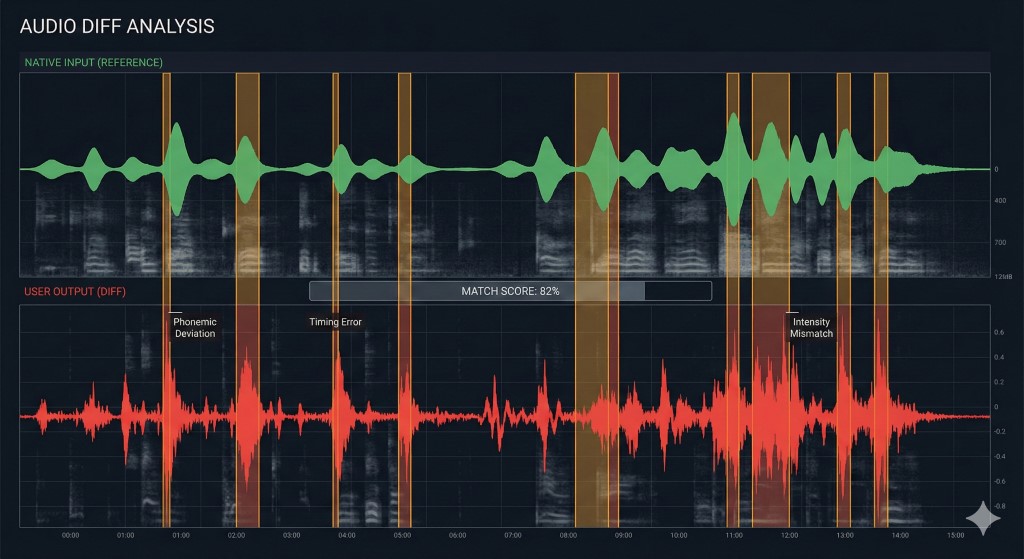
Research on the Noticing Hypothesis suggests that learners only correct errors when they consciously notice the gap between their output and the target input. If you shadow without recording yourself, you are writing code without a compiler. You feel productive, but you are likely reinforcing bugs.
To debug your pronunciation effectively, you must perform a Diff Check:
| Step | Action | "Engineering" Equivalent |
|---|---|---|
| 1. Record | Record your voice while shadowing the native audio. | > capture logs |
| 2. Overlay | Listen to your recording immediately after the native audio. | > git diff |
| 3. Identify | Mark exactly where your rhythm or vowel sounds deviated. | > bug triage |
| 4. Patch | Repeat the specific segment until the "diff" is zero. | > hotfix |
Related Reading: If you find that your errors are grammatical rather than phonetic, check out our guide on Refactoring Your Grammar to fix fossilized syntax errors.
Automating the Debugger with DialogoVivo
The manual protocol above is effective, but it is tedious. Setting up recording devices, pausing audio, and scrubbing through timelines adds massive friction. When the friction is high, you stop practicing.
This is why we built DialogoVivo. We wanted to automate the "Diff Check" and turn pronunciation practice into a streamlined debugging session.
We engineered the app with two distinct modes to act as your objective feedback loop:
- Native Mode: This utilizes the Android OS internal SpeechRecognizer. Think of this as a strict "Compiler." It doesn't care about your feelings. If your pronunciation of a specific phoneme is off, the recognizer will transcribe the wrong word. It forces you to speak clearly enough for a machine to understand—if the AI can't parse it, a human likely won't either.
- API Mode: For deeper analysis, this mode uses backend transcription services (like Whisper) to capture nuance.
Instead of managing audio files yourself, DialogoVivo runs the loop for you:
- The Scenario: You enter a role-play (e.g., "Ordering Coffee").
- The Input: The AI speaks a native sentence.
- The Output: You respond. The app records and transcribes you instantly.
- The Error Log: If you mispronounce a word so badly it changes the meaning, the Validation Agent flags it immediately, showing you exactly what the "listener" heard versus what you meant to say.
Stop Deploying Buggy Code
You don't need to have a "perfect" accent, but you do need clear, executable speech. If you are tired of being misunderstood, you need to stop trusting your ears and start trusting the data.
You can try the manual Shadowing technique today with any podcast. Or, if you want an automated sandbox to test your pronunciation before you speak to real humans, you can download DialogoVivo on Android.
Treat your speech like code: Audit it, debug it, and then deploy it with confidence.